
In aviation, there’s a difference between an airplane that looks good on the ramp and one that’s truly ready to fly.
Sometimes, first appearances can be deceiving!
Fresh paint and a polished cabin tell you somebody cares about appearances. The logbooks tell you the rest: whether the inspections are current, whether the parts are still supported, and whether the airplane is ready for its next trip.
After 40 years around corporate aircraft, I learned to read both. When I look at winery websites now, I do the same thing. First I walk around the outside, then I open the logbooks.
Most of what I find isn’t dramatic. The site loads, the photos are beautiful, and the wine looks wonderful. But here and there are small signs that the website is quietly showing its age.
Guests may not be able to put their finger on it, but they can sure feel it. And a few of these signs matter more than they look.
Here are five I find again and again, and how you can check your own site for each one in a couple of minutes.
Key Takeaways
- Small signs of age, like an old copyright year or last season’s events, tell guests nobody is minding the website.
- Some signs are hidden. Software that no longer gets security updates can leave a beautiful site exposed.
- Accessibility “overlay” widgets don’t fix the problems underneath, and federal regulators have penalized one overlay company over its claims.
- When your hours on Google and on your website don’t match, guests don’t know which one to trust.
- The wineries growing right now are the ones looking outward for new guests. Your website is a big part of how you do that.
1. The copyright year at the bottom of the page
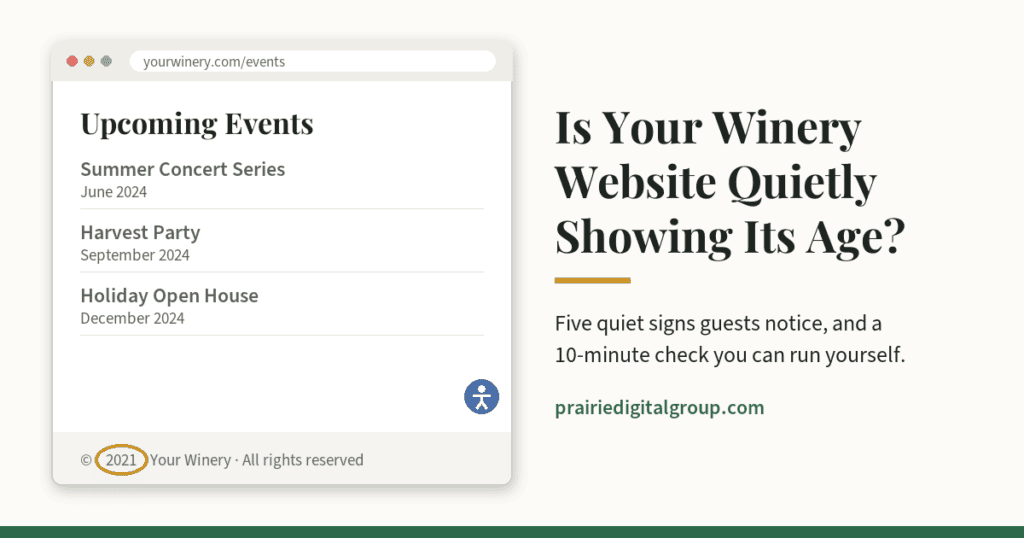
Scroll to the very bottom of your homepage. Many sites show a line like “¬© 2021 Your Winery.” If that year is long past, it’s the website version of a lobby calendar still turned to an old month.
On its own, it’s minor. But guests read it as a clue: if nobody has touched the bottom of the page in years, what else hasn’t been touched? Does anyone care how things look?
Your check: Look at your footer. If the year is out of date, ask whoever manages your site to fix it, and better yet, to set it to update itself every January.
2. Software that no longer gets updates
This is the one guests can’t see, and the one I’d worry about most.
Every website runs on software: a platform such as WordPress, Squarespace, Wix, or Drupal, plus a collection of add-ons. Some services update themselves; many sites depend on someone applying updates. And sometimes the platform itself reaches the end of the road.
For example, Drupal 7, which powered a lot of websites built in the 2010s, stopped receiving security updates on January 5, 2025. A site still running it can look perfectly fine, but it’s running on antiquated software.
In aviation, when the manufacturer stops supporting a part, you don’t wait for it to fail. You plan the replacement. Websites work the same way. Outdated software is one of the most common ways websites get broken into, and a winery site often handles wine club sign-ups, online orders, and guests’ email addresses. That information could be exposed to a hacker.
Your check: You probably can’t see this one yourself, so ask your web person three questions:
- What is our website built on?
- Is that version still receiving security updates?
- When were updates last applied, and whose job is it to apply them?
If nobody can give you a clear answer, that’s your answer.
3. The accessibility widget in the corner
Many winery websites have a small round icon in one corner, often with a little human figure on it. Click it, and a menu opens with options for larger text, higher contrast, and more. These are called accessibility overlays. They’re usually sold as a quick way to make a website accessible and to protect the owner from lawsuits.
I understand the appeal. The problem is that an overlay sits on top of the website. It doesn’t fix what’s underneath: photos with no descriptions for guests who can’t see them, buttons a keyboard can’t reach, or a wine club form a screen reader can’t follow.
Many accessibility experts and disability advocates say overlays can even get in the way of the tools people with disabilities already use. And websites with overlays installed have still been sued. Some accessibility attorneys also warn that an overlay can suggest you knew about a problem and chose a shortcut instead of fixing it.
In April 2025, the Federal Trade Commission finalized an order requiring accessiBe, one of the best-known overlay companies, to pay $1 million over its claims that its AI-powered tool could make any website compliant with accessibility guidelines.
I’ve used crutches for 48 years, and I can tell you that a ramp bolted on beside the front steps is not the same as a building designed for everyone. Real accessibility is built in, not added on.
Your check: Look for the icon. If you have one, treat it as a reason to have the website itself checked, not as proof the job is done. For a quick start, try the Tab-key test from my last post, What 40 Years in Aviation Taught Me About Your Winery & Guests.
4. Last season’s events still on the calendar
In that last post, I described the “magazine test”: go looking for the oldest thing on your website. The events page is where I usually find it. Last fall’s harvest party. A summer concert series from two years ago. Or, worst of all, an “Upcoming Events” heading sitting above nothing but past events.
Guests check your events page to decide when to visit. A stale one tells them nothing is happening, even when your tasting room is busy every weekend.
Your check: Open your events page the way a guest would. What’s the first thing you see? Is it the “what’s happening next” section? Is it current? Take down or archive past events. And if you’re heading into a quiet season, say so: “Our winter events will be announced in January. Join our email list to hear first.” That turns a dead end into an invitation.
5. Your hours on Google don’t match your website
This one costs real visits. A couple wanting to visit your winery checks Google on their phone, sees “Open until 6,” and drives out on a Sunday afternoon, only to find the tasting room closed at 5. The website had the new fall hours. Google didn’t.
Your hours live in more places than you might think: your website, your Google Business Profile, Facebook, Yelp, and now AI assistants like ChatGPT, which pull information from all of them. When those sources disagree, guests don’t know which to trust, and neither does Google. Seasonal and holiday hours are the usual culprits.
Your check: Pull up your winery on Google Maps, your website, and your Facebook page side by side, and compare the hours, including holiday and seasonal hours. Then pick one place as your master copy, and update the others every time it changes. If your Google listing needs attention, my guide to optimizing your winery’s Google Business Profile walks through it.
Why this matters more in 2026
I recently listened to a Wine Industry Network webinar on the mid-year outlook for the wine business. Rob McMillan, founder of the wine division at Silicon Valley Bank, made a point that stayed with me. As I heard it: the wineries growing in his direct-to-consumer data are the ones spending their time looking outward, finding new customers, while the ones shrinking are mostly cutting costs. You can’t cut your way to growth.
Michelle Muth of Baker Tilly raised a related worry: wineries so busy with today that they keep putting off investments in technology and customer relationships, and fall behind when the recovery comes.
I understand that completely. Times are tight, and every dollar matters. But a website quietly showing its age is often a cost-cutting decision that nobody actually made. It just happened, one postponed update at a time. And it isn’t free. Every guest who gives up on a stale events page, or drives out to a closed tasting room, is a real cost. It just never shows up on an invoice.
Looking outward starts with being found, and with making a good impression when you are.
Your 10-minute age check
- The footer: Is the copyright year current?
- The software: Ask your web person the three software questions.
- The corner icon: If you have an overlay, have the site itself checked.
- The events page: Is the first thing a guest sees what’s happening next?
- The hours: Do Google, your website, and Facebook all agree?
Frequently Asked Questions
My website looks fine. How would I know if its software is outdated?
Often you can’t tell by looking, which is exactly why it matters. Ask whoever built or manages your site what it runs on and when it was last updated. A good web partner will answer that easily.
Should I remove my accessibility widget?
On its own, removing it rarely makes a site harder to use, but it won’t fix anything either. The real work is fixing the site itself so it works for every guest. Start by finding out what’s actually there.
If you run the age check and find a few things you’d like a second set of eyes on, I’m always glad to take a look.
